8WWW App: APK for Android, Home Screen Shortcut for iOS
File size is 36 MB. Runs on Android 7.0 and above. Log in with your number and password to access slots, live dealers, and cricket markets all on one screen.
File: 8www-casino.apk · Size: 36 MB · Price: Free
If you want to download from a desktop, just point your phone camera at the QR code on the side and the file will download directly to your mobile.
18+ · Responsible Gaming
What you get right away when you open the 8WWW App on your phone
- The full lobby in one placeSlots, live dealers, crash games, and cricket markets — no need to search around separately.
- Fast depositsbKash, Nagad, Rocket, or bank transfer — balance usually reflects within 6 minutes.
- Support in Bengali24/7 live chat — get answers quickly without any back-and-forth hassle.
- Daily cashback1.6% returned every day, and the percentage goes up as your VIP level increases.
Where the 8WWW APK comes from and what permissions it asks for
The file comes from our own server
The download link is right here on this page and the file is named 8www-casino.apk. Do not download the file from any third-party app store or link sent via message — even if the name looks the same, the code inside may be different.
What the app asks for — and what it does not
During installation, the app requests access to phone storage and notifications, so it can apply updates and send you bonus alerts. It does not ask for access to your SMS, contacts, or phone calls.
Payments happen outside the app
When sending money through bKash or Nagad, you enter your PIN on that app's own screen — not inside the 8WWW app. So no card numbers or PINs are ever stored in the app. The same rule applies whether you use a browser or the app.
Your account stays locked on shared phones too
Once you log out after playing, no one can get back in without your number and password. Before your first withdrawal, you'll need to submit your National ID, passport, or driving licence — verification usually takes around 6 hours.
Five steps to install the APK on Android
Having trouble installing?-
Allow installation from unknown sources
Go to your phone's Settings → Security → Install unknown apps. Turn on the switch next to the browser or file manager you'll use to open the file. Once installation is done, you can turn this permission off again — it won't affect how the app runs.
-
Download the APK file
Tap the Download button above and 8www-casino.apk (36 MB) will start downloading. If you're on mobile data, keep the screen on during the download. The file usually saves to your Downloads folder — if the connection is slow, switching to Wi-Fi will speed things up.
-
Open the file and tap Install
Open the downloaded file from your file manager or notification bar, then tap Install. If Google Play Protect shows a warning, select More details → Install anyway — this appears because the file is coming from outside the Play Store.
-
Log in or create a new account
Open the app and enter your number and password to log in if you already have an account. If you're new, fill out the registration form in a few quick steps — the deposit screen will come up right after.
-
Check your app version
Go to the app's settings and confirm the version is 3.9.20. When a new version comes out, you don't need to uninstall the old one — installing the new APK will update it automatically. Keeping multiple old APK files on your phone just takes up unnecessary space.
What to do on iPhone or iPad
iOS doesn't run APK files, so you'll need to use Safari to add the site as a shortcut on your home screen.
- Open Safari — the shortcut won't work properly in other browsers.
- Visit the site — then tap the Share icon in the top-right corner.
- Add to Home Screen — select this option from the list.
- Give it a name — tap Add and the 8WWW icon will appear on your home screen.
Everything you can do right from the app
A big lobby of slots and mini games
5,900 games across JDB, FA Chai, Evolution, and Spribe. Titles like Big Hammer, Genie 3 Wishes, and Mines Grand open in one tap, with bets starting from ৳1. Each game shows its RTP right there, so you know what you're getting into before you start.
Live dealer rooms
Evolution's live dealer rooms run bingo and card sessions around the clock. You can see round results directly on screen, and if anything goes wrong, Bengali-language support is available via 24/7 live chat. Closing the app mid-stream won't make you lose your round result.
Fast-round crash games
Games like Mine and Big Hammer wrap up each round in just a few seconds. The key is knowing when to cash out — so it's better to start with small amounts and increase gradually. You can check the full round history right inside the app.
Cricket betting markets
Cricket match markets, BPL, IPL, T20, and ODI series are all in one tab. If you get a notification before a match starts, you can place your bet before the market closes. Premier League matches are arranged on a separate page.
Full Bengali interface
Menus, buttons, and deposit steps are all written in Bengali, with an English option alongside. The deposit process takes just four steps — put in a minimum of ৳150 and your balance is usually topped up within 6 minutes. Withdrawals typically take around 35 minutes.
Notifications and session control
New bonuses, match reminders, and withdrawal status updates are all sent to your phone. You can choose which notifications you want from the settings. If you switch phones, just log in again and your account and balance will be right there.
Two titles from the app lobby
View all games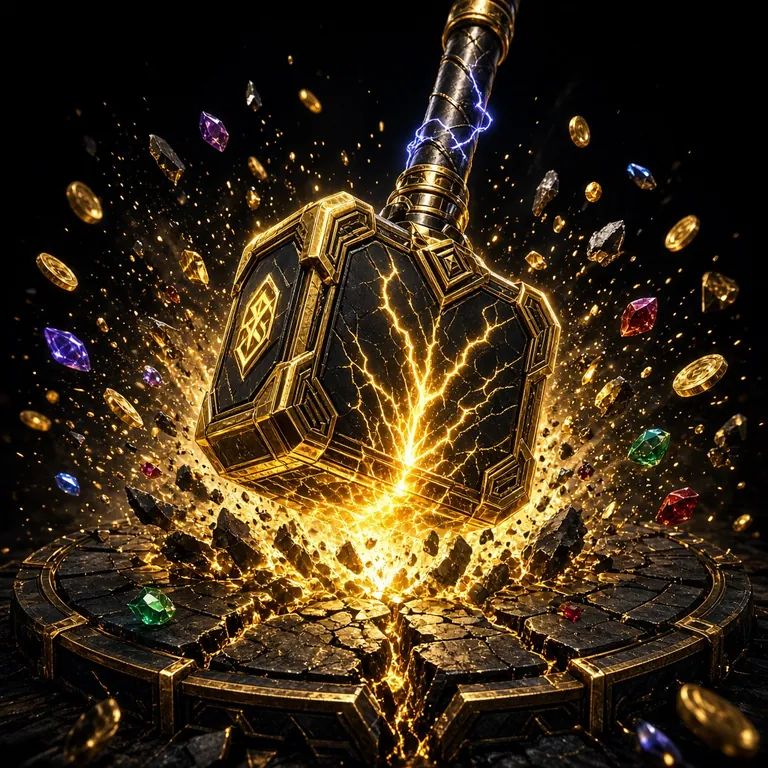

Once you open the app lobby, you'll see a list of 5,900 games along with the two titles at the top. Tap any game to open the bet selection screen, where the minimum and maximum bet limits are clearly shown.
8WWW App Download: File Details, Version & System Requirements
| Version | 3.9.20 |
|---|---|
| File Name | 8www-casino.apk |
| File Size | 36 MB |
| Minimum Android Version | 7.0 |
| Last Updated | 14 November 2026 |
| Cost | Free |
| Language | Bengali, English |
| Deposit & Withdrawal | bKash, Nagad, Rocket, Bank Transfer |
Make sure your phone has at least as much free space as the file size, otherwise the installation may stop halfway. The app opens as long as you have an internet connection — no extra downloads needed. Minimum deposit is ৳150, minimum withdrawal is ৳600, and you can withdraw up to ৳1,95,000 per day.
App vs Browser — Which One to Use When
| Feature | 8WWW App | Mobile Browser |
|---|---|---|
| Getting Started | One-time 36 MB download and install | Nothing to download — just open the link and go |
| Loading Speed | Tap the icon and go straight to the lobby | Type the address each time and wait to load |
| Alerts & Reminders | Push notifications for bonuses and matches | No notifications sent |
| Updates | You need to install the new APK yourself | Site updates automatically |
| Phone Storage | 36 MB, one time | Zero |
| Deposit & Withdrawal | bKash, Nagad, Rocket, Bank Transfer | Same methods, same rules |
| iPhone | Home Screen Shortcut | Works directly in Safari |
If you play regularly, the app is the better choice — the lobby is already saved on your phone and notifications reach you instantly. If you just want to check your account occasionally, the browser is fine since there's nothing to install.
Stuck on Installation or Login?
| What you're seeing | Cause | Fix |
|---|---|---|
| "App not installed" or parse package error | File downloaded incompletely, connection dropped midway | Delete the incomplete file from your Downloads folder, then download it again over Wi-Fi and install. If the file size is not 36 MB, it did not download fully. |
| "Blocked by Play Protect" | Android shows a warning by default for APKs installed outside the Play Store | On the warning screen, tap More details and then select Install anyway. After installation, turn Play Protect back on to stay safer going forward. |
| App opens but won't log in | Wrong password, or mobile data is off | Double-check your number and password, then try again — use the password reset option if needed. If you're still stuck, contact 24/7 live chat with your account details and the team will walk you through it. |
| Deposit is stuck on the last step | bKash or Nagad transaction ID was not matched | Copy the transaction ID from your message and paste it into the form. Your balance usually appears within 6 minutes. If it still hasn't arrived after that, contact live chat with the transaction ID and amount. |
| Payment page won't open | WebView or Chrome on your phone is running an old version | Update Chrome from the Play Store, or open the site in your browser and complete the deposit from there. Outdated browsers sometimes block links inside the app. |
If none of the above works, uninstall the app, restart your phone, then install it fresh. If the problem continues, contact live chat with your phone model and Android version and you'll get a quick response.
APK Questions & Answers
Is the 8WWW APK safe?
Why does it show an unknown sources warning during installation?
APK won't install — what should I do?
How do I update the app when a new version is released?
Can I use the 8WWW app on iPhone?
Can I use the same account on both the browser and the app at the same time?
How long do deposits and withdrawals take through the app?
If you don't have an account yet, fill in the 8WWW Register form first, then log in through the app and make your deposit. The bonus comes with a 7x turnover requirement, so do give the terms a read before you start. This site is for players aged 18 and above only.